A new signup lands on the locations step, opens the dropdown, clicks Telehealth video call, and the field changes to Other. Nothing is technically broken, but it reads as a bug and it leaves the account with two near-identical video locations. Here is what is happening and four cheap ways to fix it.
Carlos's own screenshots from a fresh account, in order.
The step opens on the "Add location" tab with nothing filled in.
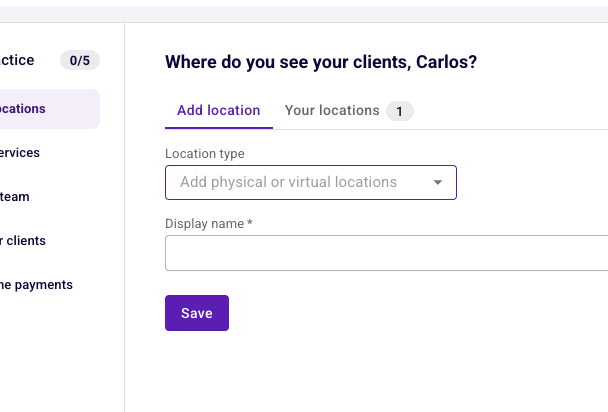
Five options. For anyone running video appointments, one of them is the obvious match.
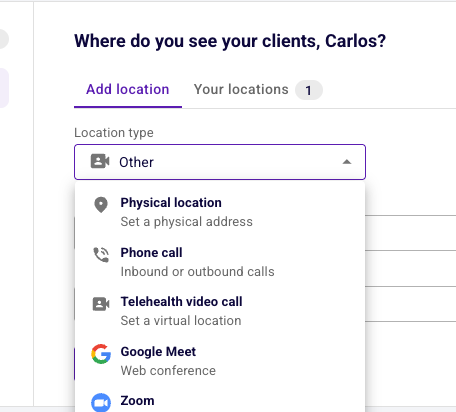
This is the moment the flow loses trust.
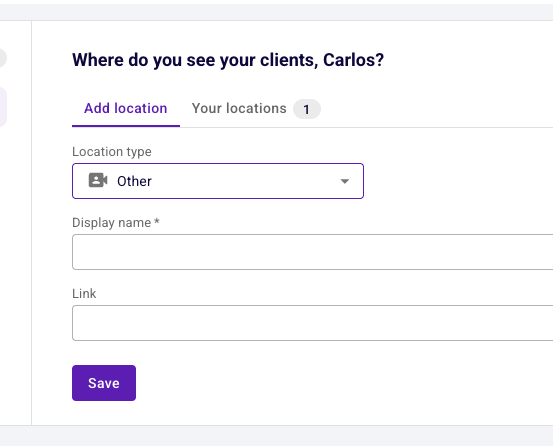
The duplicate only becomes visible after saving, on a tab the user had not opened.
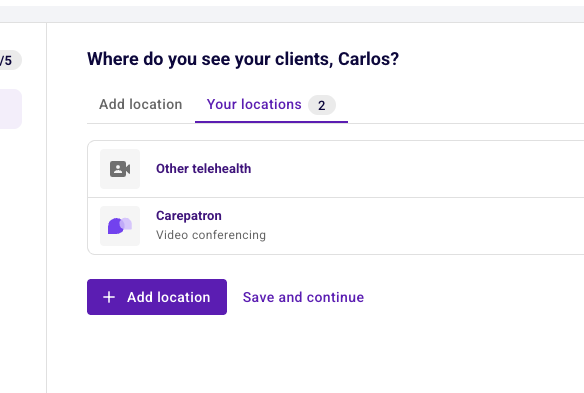
Every new account gets a Carepatron telehealth location created for it automatically. That location occupies the built-in telehealth type, so when a user picks "Telehealth video call" the form has to fall back to the generic type, and the UI shows that fallback name instead of the label that was clicked.
Fixing the type collision properly is an engineering job. Everything below works around it instead, and steps 2 and 4 of that chain are cheap to break.
All of these start from the current design. None of them change the auto-add behavior or the data model.